Resources
Guides and how-tos for pet parents and vets
Everything you need to get the most out of Vetezy — from booking your first video consult to running your practice online.
For Pet Parents
Book a vet from home, step by step
Flip through the guide — every step of your first booking, with real screenshots.

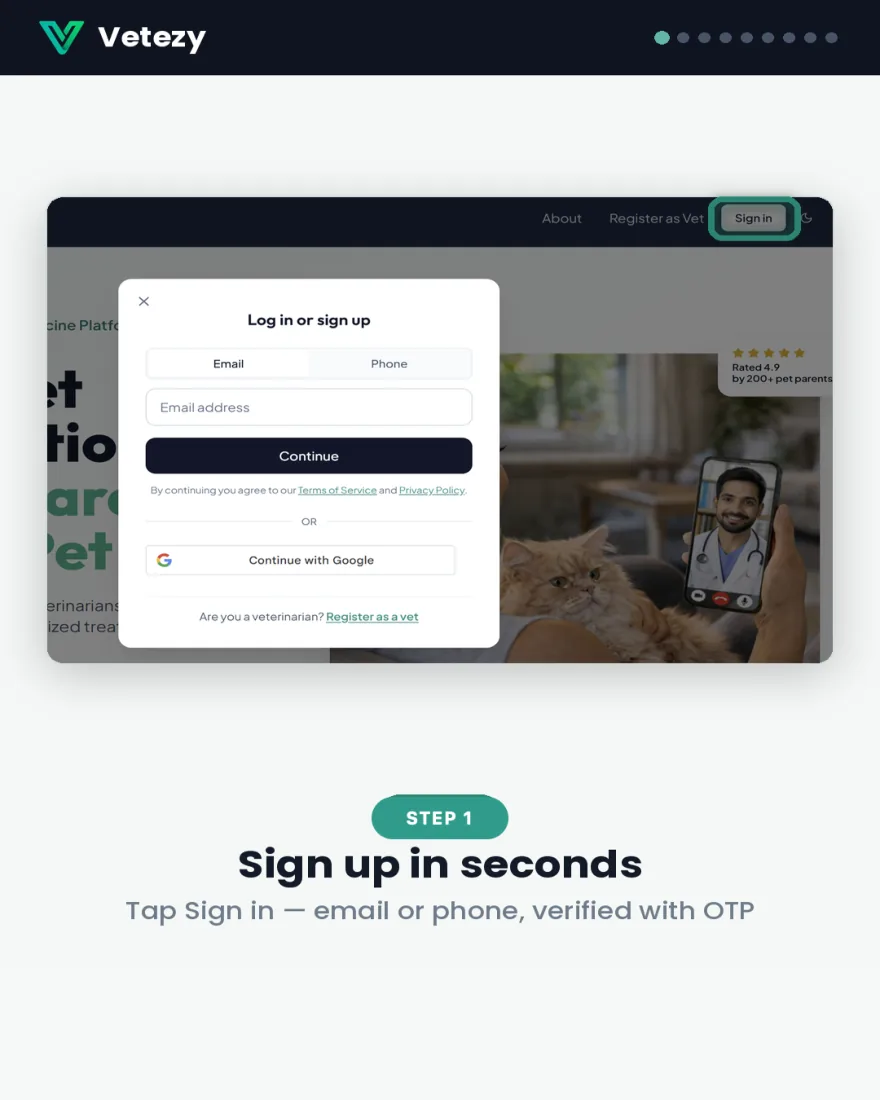
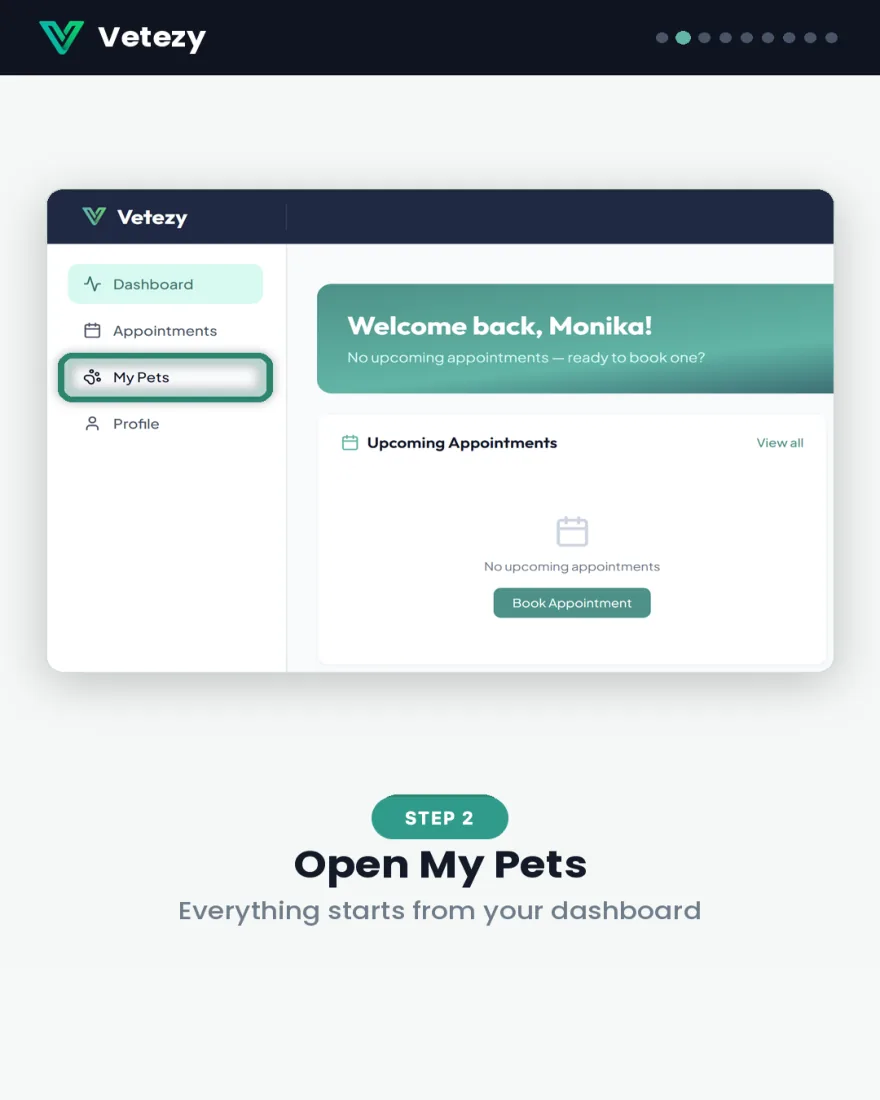
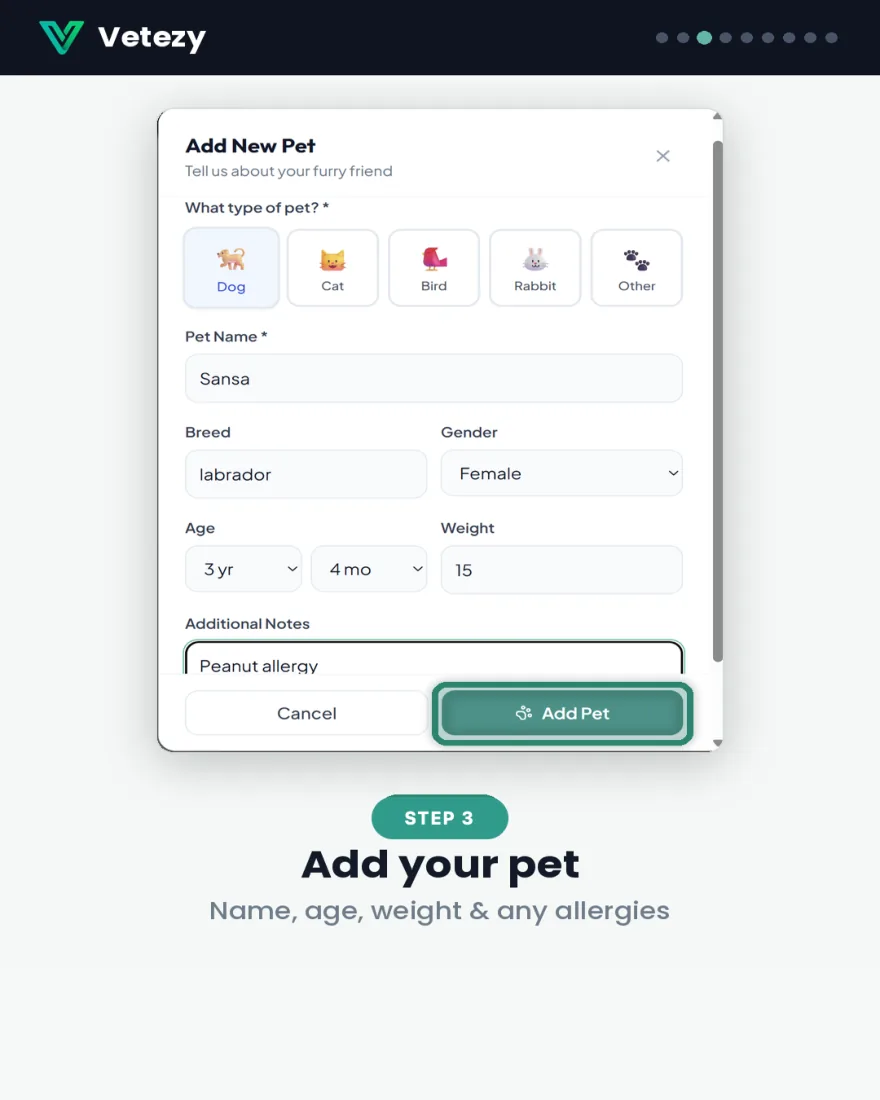
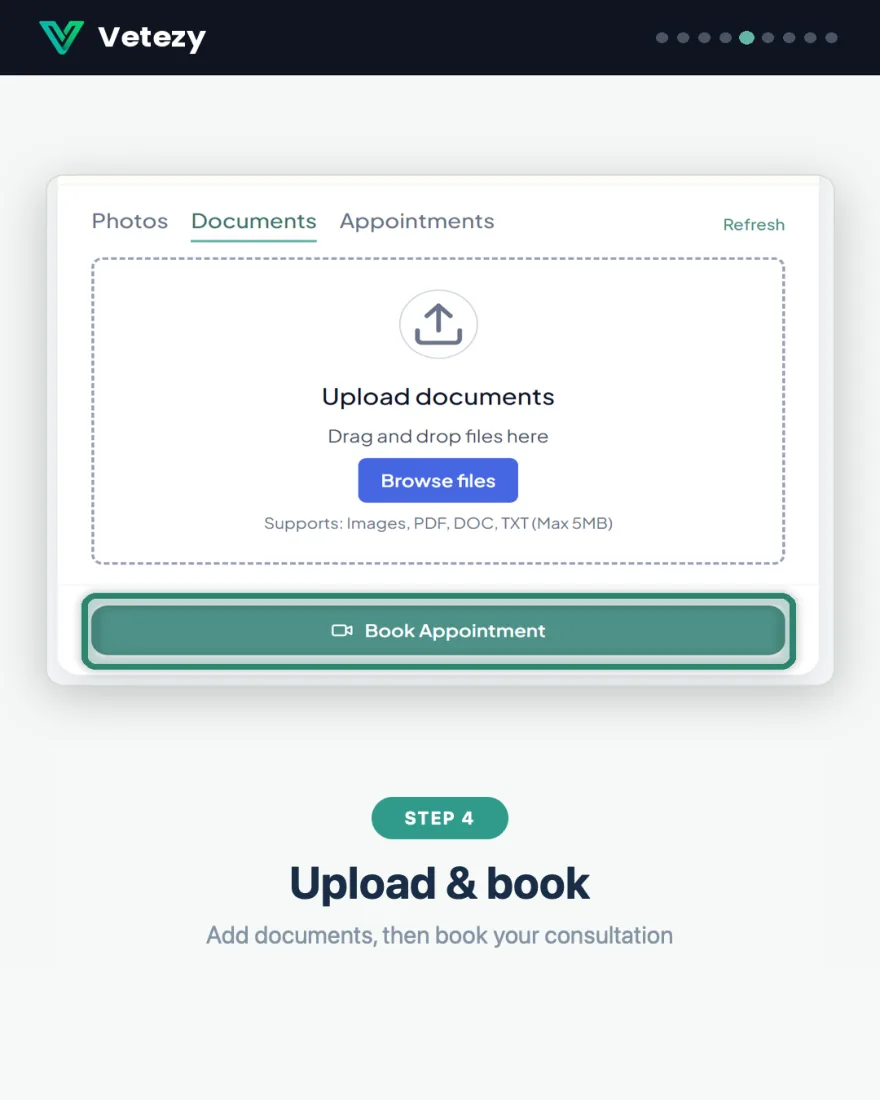
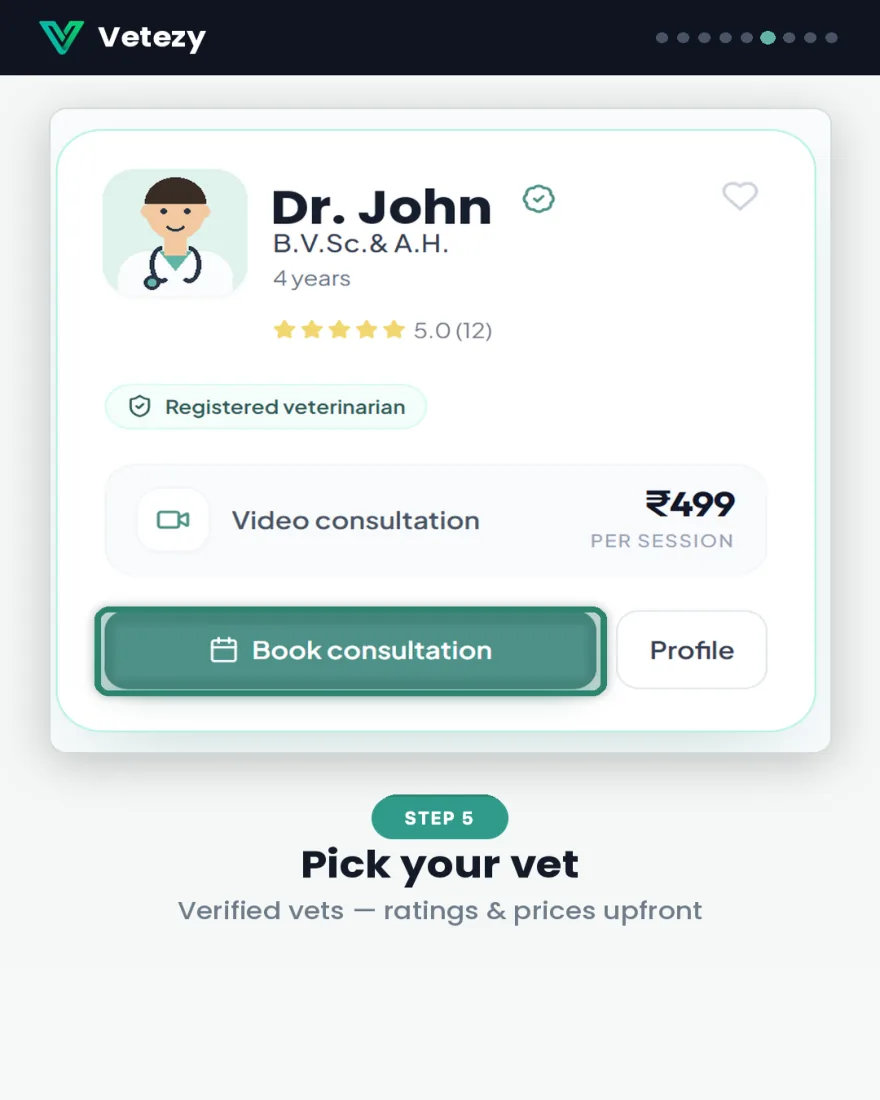
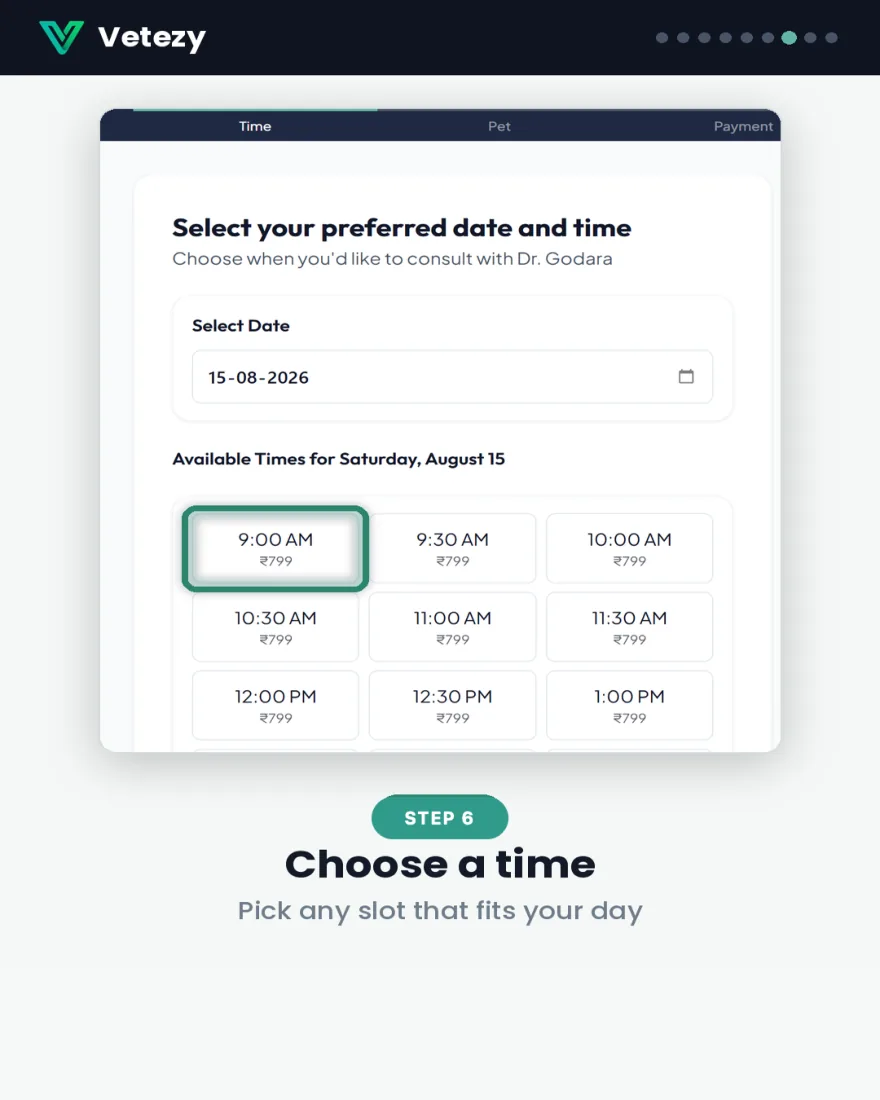
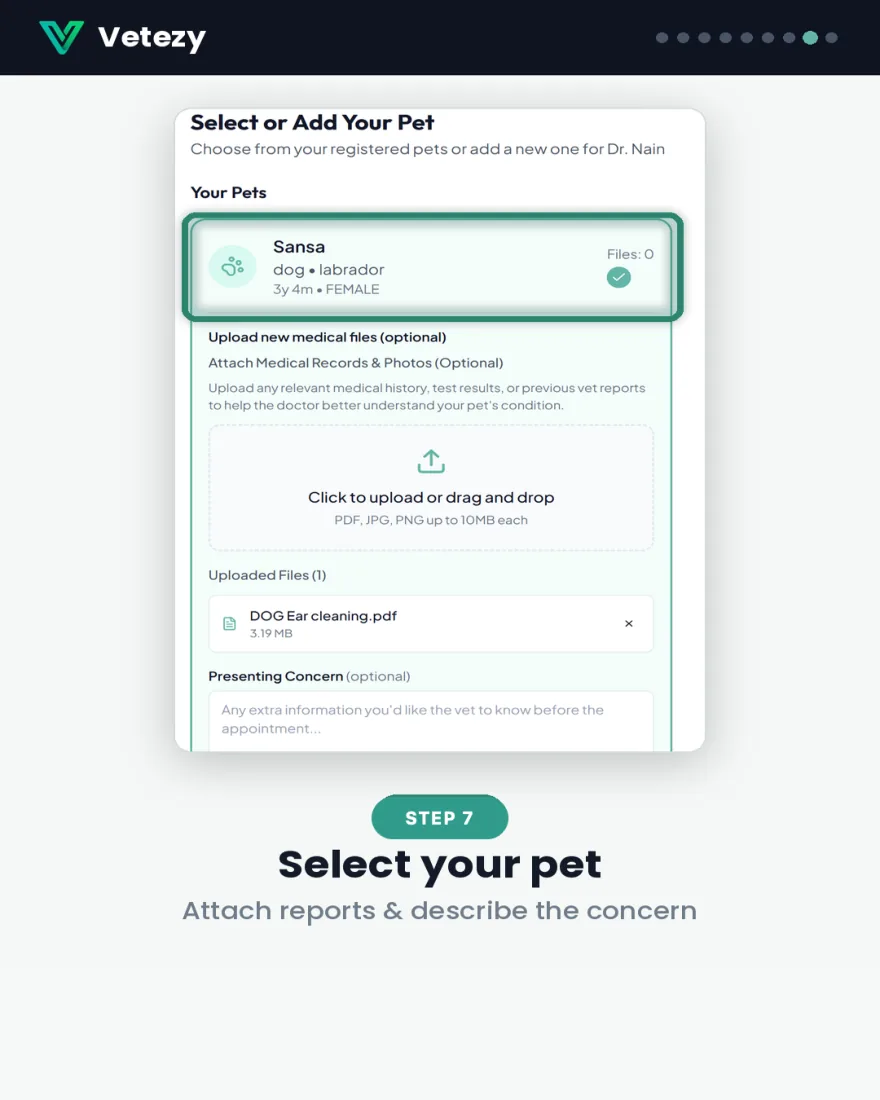
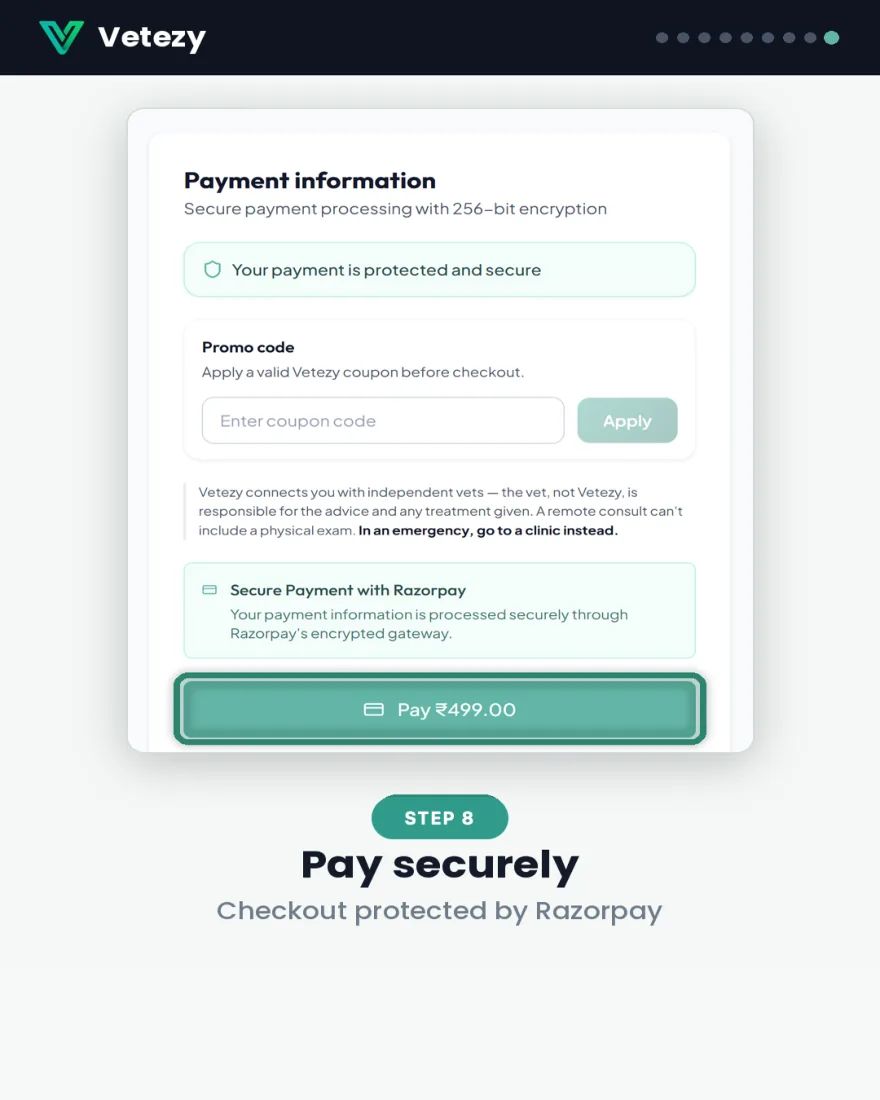

Download the guide (PDF)10 pages · save it or share it with a friend
Booked. What happens next?
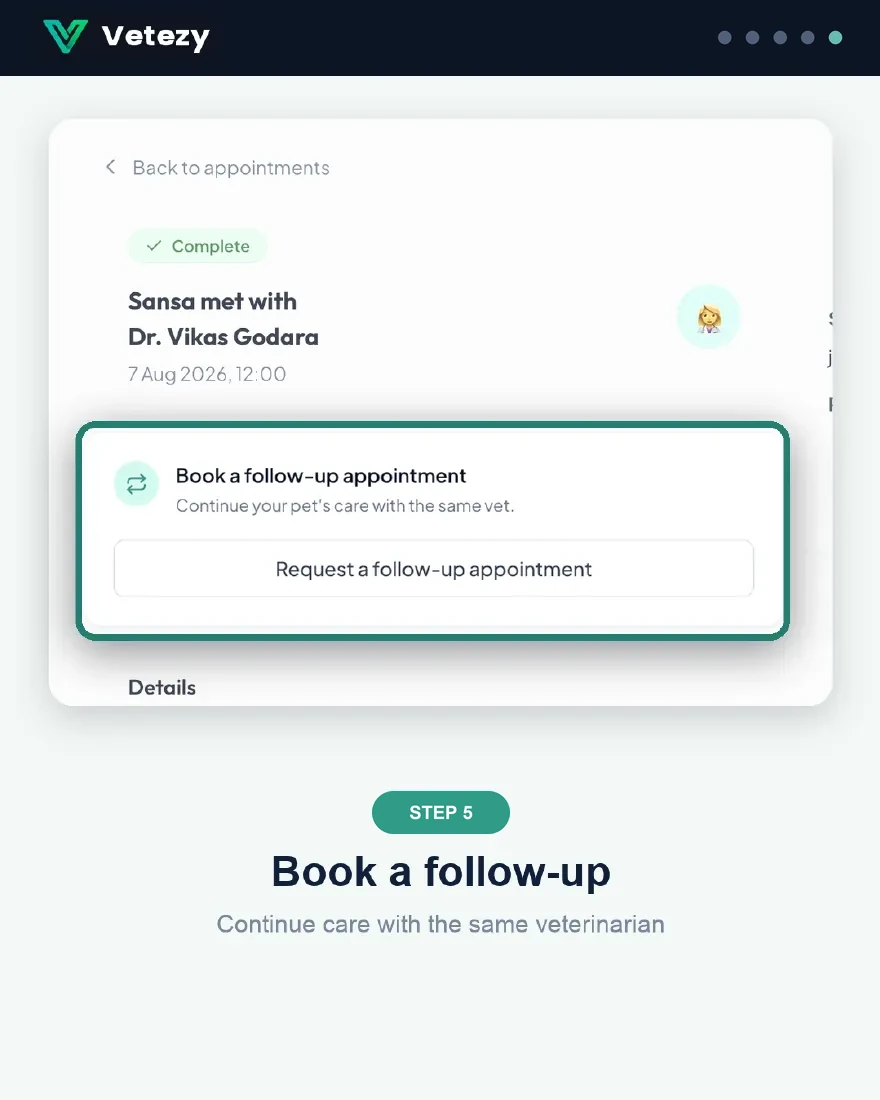
From joining the call to downloading your care plan — your appointment, from Join to follow-up.

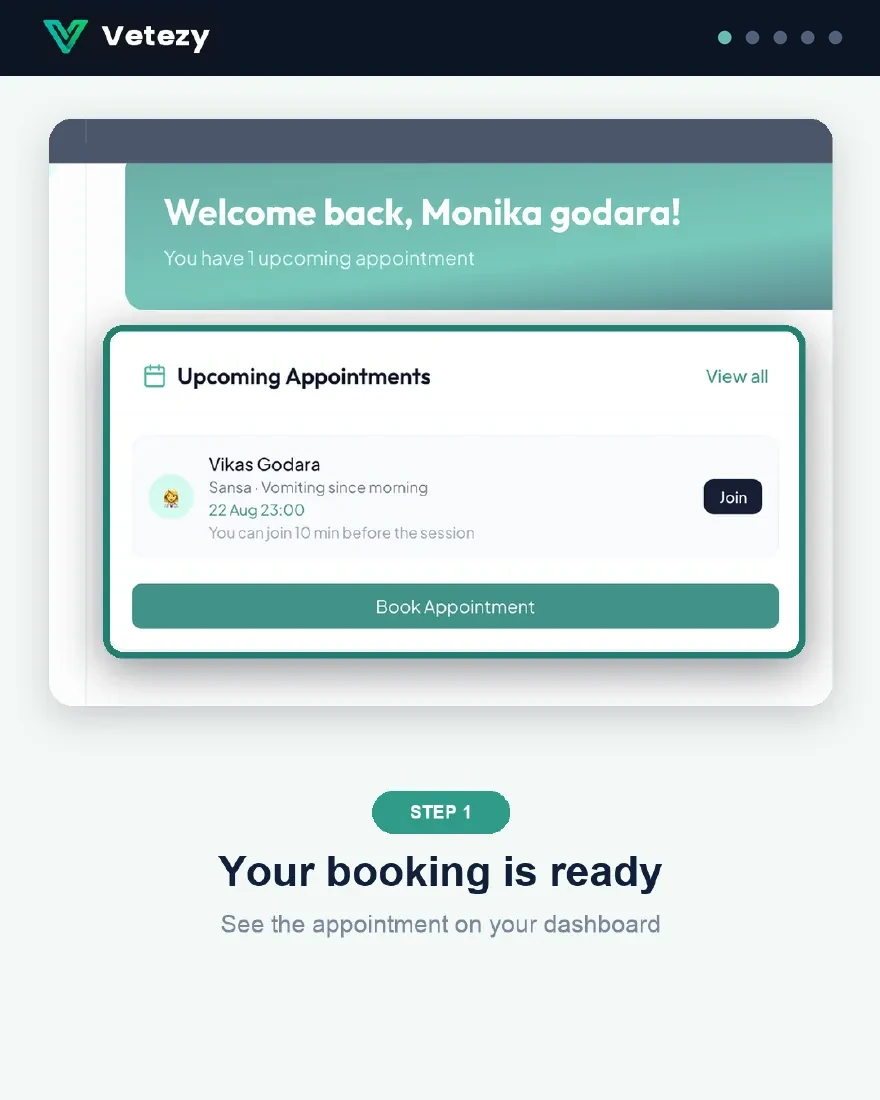
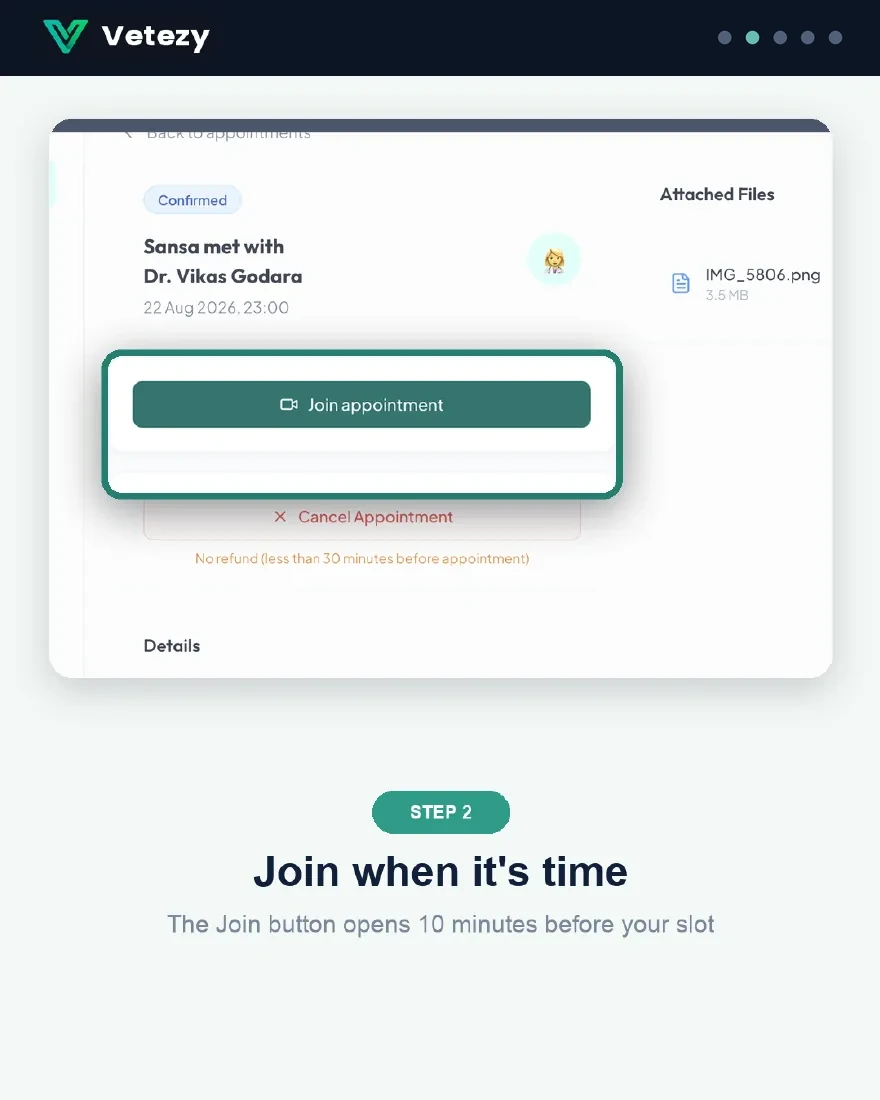
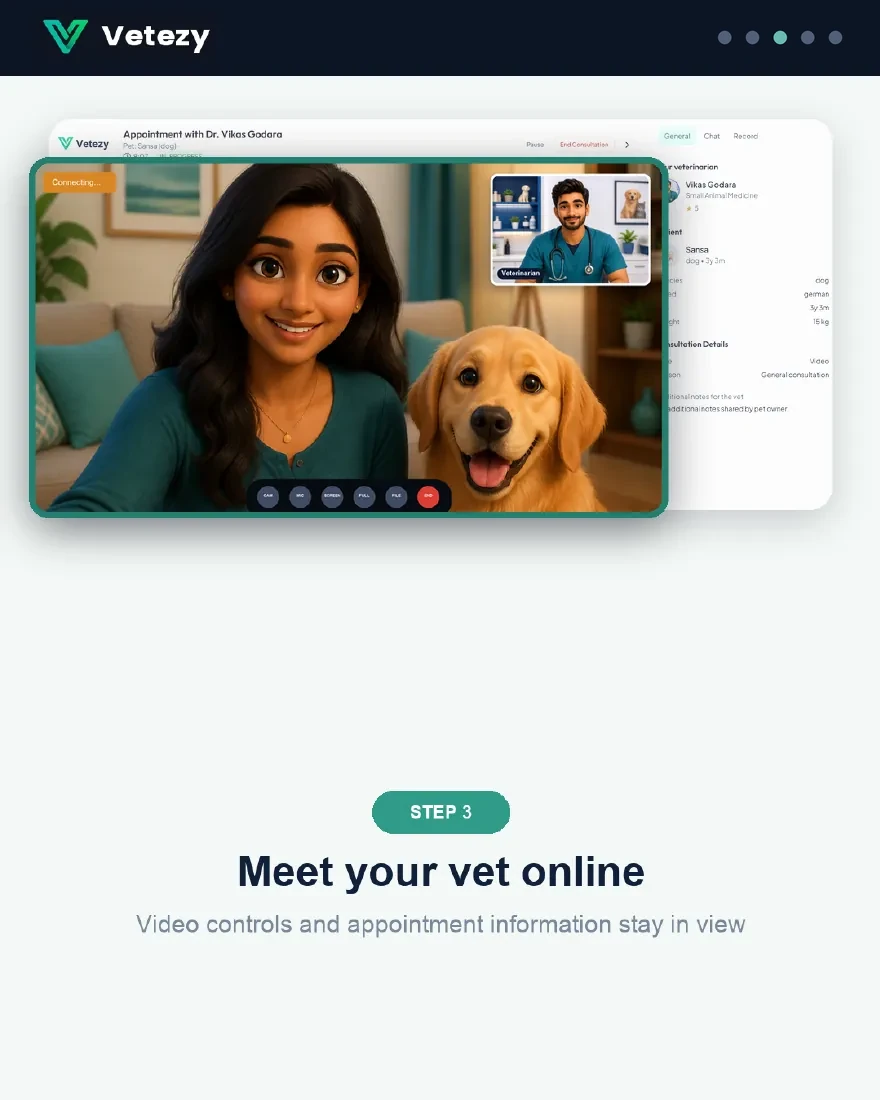
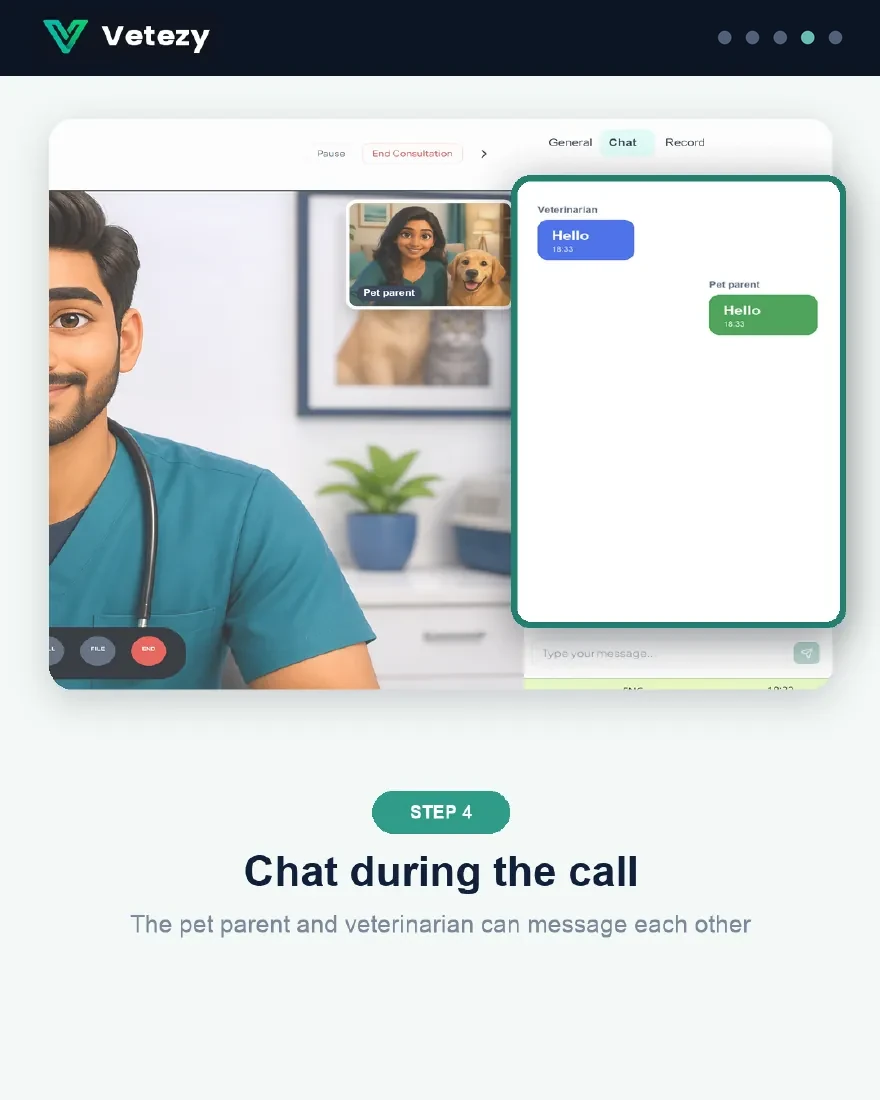
Download the guide (PDF)9 pages · save it or share it with a friend
Prepare for the consultation
- Keep your pet nearby in a well-lit, quiet spot
- Note down symptoms, appetite and behaviour changes
- Keep past reports handy to share in the chat
After the consult
- Your vet's care plan appears in your dashboard once finalized
- Download it as a PDF anytime
- Book a follow-up with the same vet in a couple of taps
For Veterinarians
Practicing on Vetezy
From verification to your first online consultation.
Get verified
- Register with your council registration details
- Every profile is verified before it goes live
- The verified badge builds trust with pet parents
Set your fee and hours
- Choose your own consultation fee (₹499–₹1,499)
- Mark your weekly availability — you stay in control
- Track earnings transparently in your dashboard
Consult from anywhere
- Run video consults from home or clinic
- Chat and share files during the call
- Write care plans your clients can download
Looking for pet health advice?
Our blog covers symptoms, emergencies and everyday care — written and reviewed by registered veterinarians.
Start here
Head shaking & smelly earsRed or watery eyesTick fever in the monsoonCat not eatingCat care at homeHow a video consult worksMonsoon skin infectionsPuppy vaccination scheduleCat urinary blockageCat vaccination scheduleWhy is my dog vomiting?Cat kidney diseaseCat vomitingRabies symptoms & dog bitesRabies vaccine for pets